

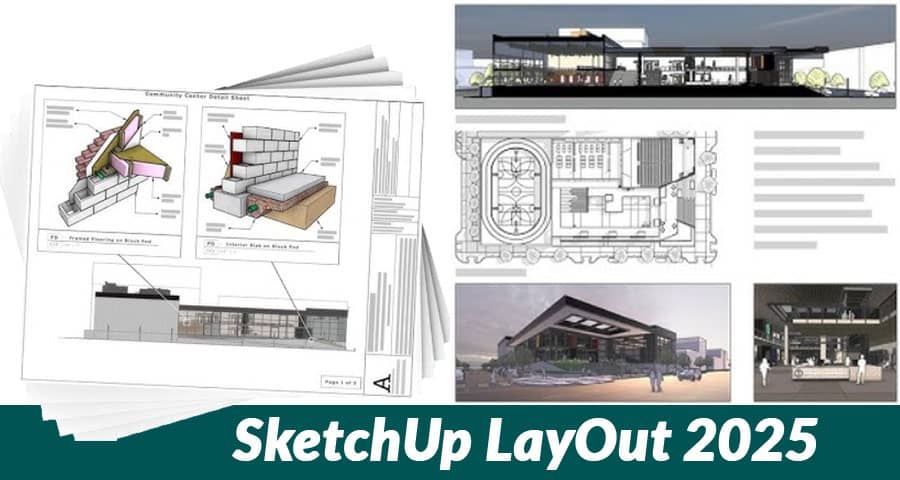
SketchUp has always been one of the most trusted platforms for 3D modeling and architectural visualization, and its companion tool LayOut has consistently given users the ability to present, annotate, and share professional drawings with ease. With the release of SketchUp LayOut 2025, Trimble has introduced a series of groundbreaking features and refinements designed to enhance productivity, presentation quality, and workflow integration.
Enhanced Performance and Stability
One of the most noticeable improvements in SketchUp LayOut 2025 is its boosted performance engine. Large and complex models now render and update significantly faster, reducing delays during viewport adjustments. This improvement benefits professionals handling heavy architectural projects or engineering drawings, ensuring smoother navigation and quicker response times.
- Optimized memory usage means fewer crashes with large files.
- Real-time regeneration of model views for faster updates.
- Improved compatibility with high-resolution monitors for precise detailing.
Smarter Viewport Management
Managing multiple viewports has often been a challenge in previous versions. LayOut 2025 introduces intelligent viewport handling, allowing users to control, organize, and update their model references more efficiently.
- Linked viewport auto-updates ensure changes in SketchUp models reflect instantly in LayOut documents.
- Custom viewport presets let users apply consistent visual styles across multiple pages.
- Viewport locking prevents accidental modifications while working on annotations.
This upgrade dramatically improves drawing accuracy and eliminates the need for repetitive manual adjustments.
Advanced Dimensioning and Annotation Tools
LayOut 2025 strengthens its reputation as a documentation powerhouse by introducing advanced dimensioning and annotation capabilities.
- Dynamic dimension scaling adapts measurements to changes in scale automatically.
- Smart callouts now adjust text orientation for clearer readability.
- Customizable leaders and arrows for more professional presentation standards.
- Auto-alignment guides streamline placement of notes, labels, and measurements.
These improvements save time and ensure highly accurate construction documents that meet professional standards.
Expanded Graphic Styles and Visual Control
Presentation is everything, and LayOut 2025 provides a wider range of styling options to make drawings visually compelling.
- New line weight controls allow greater precision in differentiating object hierarchies.
- Expanded hatch patterns and fill textures for architectural detailing.
- Custom stroke styles to highlight specific design elements.
- Enhanced layer blending for more depth and clarity in multi-layered drawings.
These updates allow architects and designers to elevate their visual storytelling, creating documents that not only inform but also impress.
Seamless BIM and CAD Integration
SketchUp LayOut 2025 continues bridging the gap between conceptual design and technical documentation with enhanced BIM and CAD interoperability.
- Improved DWG/DXF import-export preserves line weights, hatches, and layer structures more reliably.
- IFC file support enhancements allow smoother collaboration with BIM workflows.
- Data-rich object linking lets users incorporate metadata from SketchUp into LayOut annotations.
This ensures that LayOut 2025 is not just a presentation tool but a powerful link in the design-to-construction pipeline.
Streamlined Collaboration Features
Collaboration has become an essential aspect of modern design workflows. LayOut 2025 integrates new sharing and commenting tools to make teamwork effortless.
- Cloud-based file syncing with Trimble Connect for version control and team access.
- Commenting features enable stakeholders to add feedback directly onto LayOut files.
- Revision history tracking to monitor document progress and changes over time.
These tools allow design teams to work together more efficiently, reducing miscommunication and ensuring that projects stay on track.
Improved Template and Page Management
Templates and page setups play a huge role in creating professional documents quickly. LayOut 2025 makes this process even smoother.
- New preloaded templates designed for architecture, engineering, and interior design.
- Batch page renaming and ordering for faster organization of multi-page documents.
- Custom template saving ensures consistency across different projects.
This enhancement allows professionals to standardize documentation and reduce redundant setup work.
Enhanced Printing and Export Options
LayOut 2025 has expanded its exporting capabilities, giving users more flexibility in how they share their work.
- High-resolution PDF export with improved compression for smaller file sizes.
- Vector-based output refinement for sharper technical drawings.
- Improved raster image export with better scaling and transparency support.
- Support for multiple file formats, ensuring compatibility with clients and contractors.
This makes it easier to deliver presentation-ready documents for both print and digital platforms.
User-Friendly Customization and Shortcuts
To streamline workflows further, LayOut 2025 introduces a range of customization options:
- Custom keyboard shortcuts for frequently used commands.
- Toolbar personalization to match user preferences.
- Dark mode support for reduced eye strain during long working sessions.
These features ensure that every professional can tailor LayOut 2025 to their unique workflow.
Artificial Intelligence Assisted Tools
One of the most exciting updates in SketchUp LayOut 2025 is the inclusion of AI-assisted tools to automate repetitive tasks.
- Smart object recognition suggests annotations based on geometry.
- AI-driven scaling assistance automatically adjusts layout proportions.
- Predictive design suggestions for quicker drawing setups.
By leveraging AI, LayOut 2025 offers an unprecedented level of automation, saving time while maintaining precision.
Why Upgrade to SketchUp LayOut 2025?
SketchUp LayOut 2025 is more than just an update – it is a revolution in documentation and presentation workflows. The improvements in speed, precision, interoperability, and design flexibility make it an essential upgrade for professionals who want to stay ahead in the industry.
Whether you are an architect, engineer, interior designer, or construction professional, the new features in LayOut 2025 will enable you to deliver higher quality drawings, collaborate seamlessly, and present with greater impact.
Final Thoughts
The new improvements to SketchUp LayOut 2025 establish it as a leading solution for design presentation and documentation. With advanced tools for dimensioning, annotation, graphic control, collaboration, and AI assistance, it empowers professionals to work faster, smarter, and more effectively.
As design demands continue to grow in complexity, LayOut 2025 provides the powerful features needed to meet those challenges head-on while ensuring creativity and clarity remain at the forefront.
