

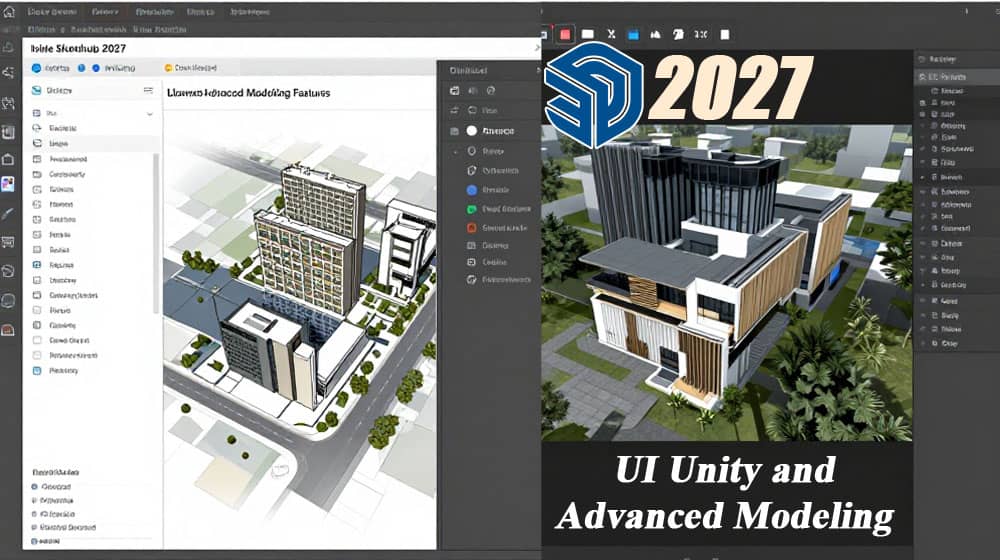
Introduction to SketchUp 2027
The architecture, engineering, and construction (AEC) industries continue to evolve as professionals adopt advanced digital tools to improve design accuracy, visualization, collaboration, and project delivery. Among the widely used 3D design applications, SketchUp has established a strong reputation for its intuitive interface, flexible modeling environment, and accessibility for architects, interior designers, landscape architects, construction professionals, and 3D visualization specialists.
The topic SketchUp 2027: Cross-Platform UI Unity and Advanced Modeling Features highlights two important areas of modern design software: a consistent user experience across different operating systems and increasingly sophisticated tools for creating, editing, presenting, and sharing three-dimensional models.
Cross-platform interface consistency helps design teams move between different devices and operating environments with fewer interruptions. Advanced modeling capabilities, meanwhile, support more detailed workflows, from early-stage conceptual sketches to developed architectural models and presentation-ready visualizations.
When evaluating SketchUp 2027, we should distinguish between the broader direction of cross-platform software development and features officially confirmed for a specific release. We should not assume that a particular interface change, modeling tool, or performance improvement is available in SketchUp 2027 without confirmation from the developer. Nevertheless, understanding these capabilities provides a useful framework for evaluating the software’s potential value for professional design workflows.
What Is SketchUp and Why Does It Matter in Modern Design?
SketchUp is a 3D modeling software application used to create, modify, and communicate digital representations of buildings, interiors, furniture, landscapes, infrastructure concepts, and many other physical objects. Its approach to modeling emphasizes direct interaction with geometry, allowing users to construct three-dimensional forms through drawing, pushing, pulling, moving, rotating, scaling, and other editing operations.
Unlike workflows that require users to begin with complex technical settings, SketchUp allows many designers to start with basic shapes and gradually develop them into detailed models. This makes it particularly useful during the conceptual design stage, when speed, flexibility, and the ability to explore alternatives are essential.
Architects can use SketchUp to study building massing, floor layouts, elevations, and spatial relationships. Interior designers can develop room layouts, furniture arrangements, material concepts, and lighting presentations. Construction professionals can create visual explanations of building components, site conditions, and installation sequences.
Its broader ecosystem also supports collaboration with rendering applications, documentation tools, extensions, and other design platforms. As a result, SketchUp can form part of a larger digital workflow rather than functioning as an isolated modeling application.
Cross-Platform UI Unity: Creating a Consistent Design Experience
Cross-platform user interface unity refers to the effort to provide a recognizable and consistent experience across different operating systems and devices. For a modeling application such as SketchUp, this can include menus, toolbars, panels, keyboard shortcuts, selection behavior, dialogs, and other elements that shape how users interact with their projects.
A consistent interface is especially valuable for design professionals who collaborate with colleagues using different computer configurations. When the fundamental modeling experience remains familiar, users can concentrate on geometry, design decisions, and project requirements instead of repeatedly learning different interface conventions.
1. Consistent Interface Elements Across Operating Systems
A unified interface aims to maintain familiar workflows across supported platforms, including Windows and macOS. Although the precise appearance and certain operating-system-specific behaviors may differ, consistent organization can reduce the learning curve when users change devices.
For example, a designer who regularly uses SketchUp on a Windows workstation may need to continue working on a MacBook during a client meeting or a site visit. Familiar tool organization, recognizable modeling controls, and predictable panel behavior can make that transition easier.
The practical value of cross-platform consistency extends beyond visual similarity. It also involves maintaining a dependable workflow for selecting objects, accessing modeling tools, managing scenes, editing components, and navigating large projects.
2. Improving Productivity Through Familiar Workflows
A well-organized user interface reduces the time required to locate commands and perform repetitive operations. When tools appear in predictable locations and commonly used actions behave consistently, professionals can establish efficient modeling habits.
For example, an architectural designer may repeatedly create walls, openings, window components, furniture layouts, and presentation scenes. A familiar interface allows these tasks to become part of a repeatable process.
We can improve productivity further by arranging toolbars according to project requirements, learning keyboard shortcuts, and keeping frequently used panels accessible. These practices help users spend less time navigating menus and more time developing the design.
3. Supporting Teams With Different Hardware Configurations
Design teams rarely use identical hardware. Some professionals work on high-performance desktop computers, while others rely on laptops for meetings, travel, and remote collaboration.
A consistent interface can help teams maintain similar working habits across these environments. However, the overall experience also depends on operating-system compatibility, graphics hardware, display resolution, available memory, and the complexity of the model.
It is important to remember that cross-platform interface consistency does not automatically mean identical performance or identical features on every device. Hardware and operating-system differences can still influence the user experience.
Advanced Modeling Features in SketchUp 2027
Advanced modeling is essential when design projects move beyond simple concepts and require more detailed geometry, realistic proportions, reusable components, and coordinated presentation materials. SketchUp’s established modeling tools provide a foundation for developing these designs, while the availability of any new features in a particular release should be verified against official release documentation.
1. Push/Pull Modeling for Faster 3D Creation
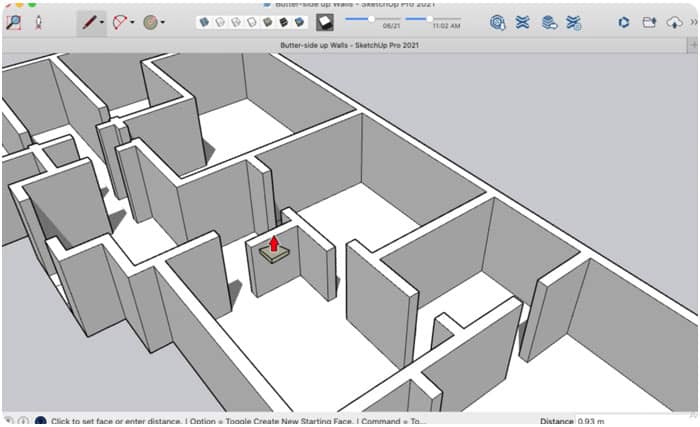
The Push/Pull tool is one of SketchUp’s most recognizable modeling features. It allows users to transform a two-dimensional face into a three-dimensional form by extruding it along a direction.
For example, we can draw a rectangular face and use Push/Pull to create a wall, building mass, platform, or structural block. By adjusting the extrusion distance, we can control the object’s dimensions and explore different design alternatives.
This approach is particularly useful during architectural concept development, where designers frequently adjust building heights, room proportions, facade depths, and roof forms.
When combined with groups and components, Push/Pull modeling can support organized workflows for developing complex architectural geometry without unnecessarily complicating the underlying model.
2. Groups and Components for Organized Models
Groups and components help users manage geometry and reduce the risk of unintended interactions between connected faces and edges.
A group isolates related geometry so that it can be selected, moved, edited, or transformed as a unit. A component provides reusable geometry that can be placed multiple times throughout a model.
For example, an architect designing a residential building may create a component for a standard window and reuse it across multiple rooms. When the component definition is edited, its linked instances can reflect those changes.
This approach improves consistency and saves time in projects containing repeated elements such as doors, windows, columns, furniture, facade panels, and lighting fixtures.
For large projects, a clear component strategy also helps maintain a manageable model structure and makes subsequent revisions more efficient.
3. Solid Tools and Complex Geometry
Solid modeling operations can help users combine, subtract, intersect, and otherwise manipulate suitable three-dimensional objects. These operations are valuable when a design contains intersecting volumes, recessed forms, openings, or custom architectural details.
For example, we can use a solid cutting object to create an opening in a suitable solid volume. This technique can be useful for conceptual facade studies, custom furniture, landscape structures, and architectural massing.
However, successful solid operations depend on the geometry meeting the application’s requirements for valid solids. Open surfaces, internal defects, and unsuitable geometry may prevent an operation from working correctly.
Developing good modeling practices, including checking solid validity and avoiding unnecessary geometry, helps improve reliability.
4. Materials, Textures, and Realistic Visualization
Materials play an important role in communicating architectural intent. They help designers distinguish between surfaces such as concrete, timber, glass, metal, stone, and painted finishes.
SketchUp’s material workflow allows users to apply colors and textures to model surfaces. Appropriate material scaling and orientation are important because an incorrectly sized texture can make a surface appear unrealistic.
For example, a timber texture should reflect the intended board dimensions and grain direction. Similarly, brick textures should maintain believable proportions across walls and facade elements.
For presentation-quality results, designers may combine SketchUp models with compatible rendering applications to produce realistic lighting, reflections, shadows, and environmental effects.
A well-organized model with correctly applied materials provides a stronger foundation for professional architectural visualization.
Performance Optimization for Large SketchUp Models
Performance becomes increasingly important as a project accumulates detailed furniture, landscaping, high-resolution textures, complex components, and extensive geometry.
Although the exact performance characteristics of SketchUp 2027 require release-specific verification, the following practices are broadly useful for managing demanding modeling projects.
Reduce Unnecessary Geometry
Highly detailed objects can contain large numbers of edges and faces. When numerous objects are imported into the same project, model complexity can increase significantly.
We should use simplified geometry for objects that appear far away from the camera and reserve detailed models for areas that require close inspection.
Use Components Strategically
Repeated objects should generally be modeled as components whenever appropriate. This reduces duplicated modeling effort and helps maintain consistency across the project.
For example, a commercial interior containing hundreds of identical chairs is easier to manage when the chairs use a shared component definition.
Manage Textures and Imported Assets
Large textures and detailed imported models can affect memory usage and responsiveness. We should select assets according to their actual purpose, remove unused content, and avoid adding unnecessary detail.
Organize Models With Tags and Scenes
Tags can help control the visibility of different categories of geometry, while scenes preserve useful model views and presentation configurations.
For example, separate scenes can show the building exterior, interior layouts, structural concepts, and landscape design. This organization makes it easier to navigate the project and prepare presentations.
SketchUp 2027 for Architecture, Engineering, and Construction
SketchUp supports a wide range of professional applications, particularly when teams integrate conceptual modeling with suitable documentation and coordination tools.
Architectural Design
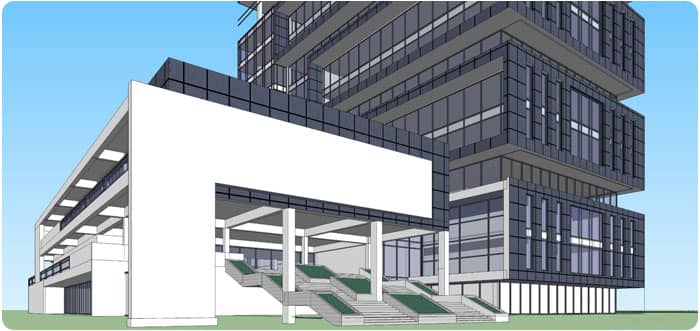
Architects can develop conceptual buildings, floor plans, facade studies, roof forms, and spatial layouts. Three-dimensional models help communicate proportions and design intent before construction documentation is prepared.
Interior Design
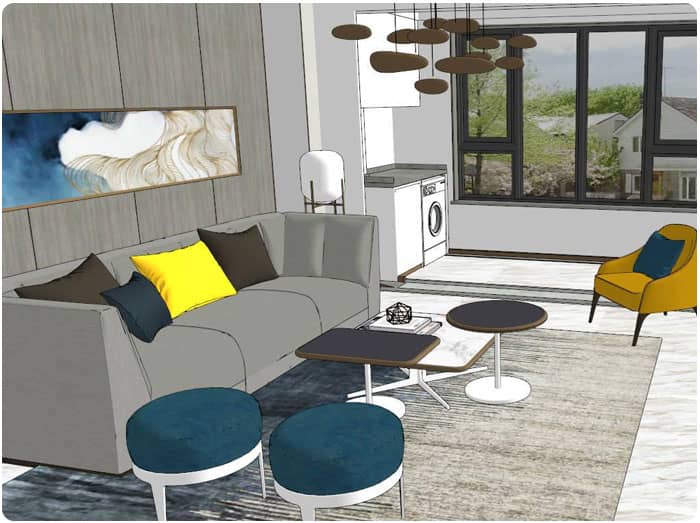
Interior designers can explore furniture arrangements, material selections, cabinetry, lighting concepts, and room layouts while communicating design options to clients.
Construction Planning
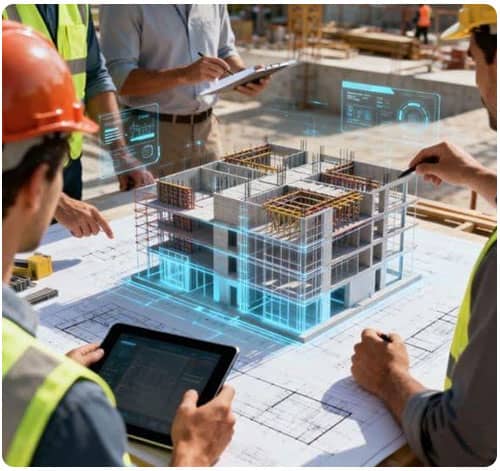
Construction professionals can use three-dimensional models to explain design concepts, visualize site arrangements, and communicate selected building details. Technical dimensions and construction requirements should be validated against appropriate project documentation.
Landscape Architecture
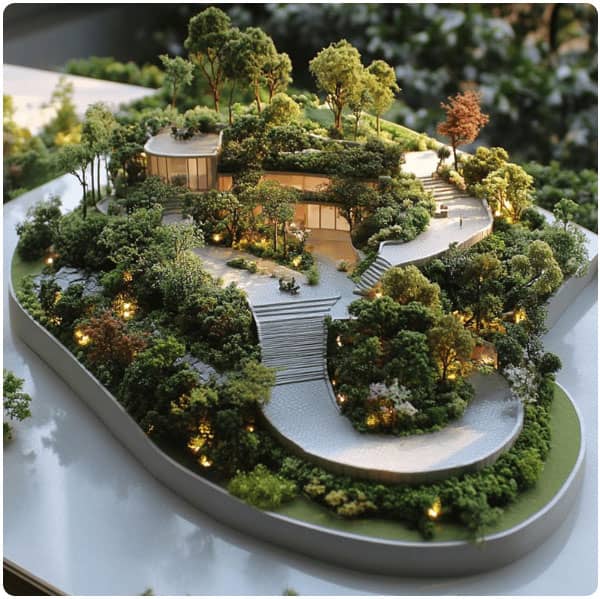
Landscape designers can represent terrain, pathways, planting arrangements, outdoor furniture, and landscape structures to evaluate spatial relationships and presentation options.
Cross-Platform Collaboration and Workflow Integration
Modern design projects frequently involve multiple software applications and professionals with different responsibilities. A 3D model may be used for concept development, visualization, quantity-related studies, coordination, and client communication.
Cross-platform compatibility is therefore only one part of a successful workflow. Teams should also consider supported file formats, extension compatibility, model exchange requirements, and the capabilities of connected applications.
When transferring a SketchUp model to another application, we should check whether geometry, materials, component organization, units, and coordinate assumptions are preserved correctly.
For building information modeling workflows, we should also distinguish between a visually detailed 3D model and a coordinated BIM deliverable. A SketchUp model does not automatically provide all the structured information, classifications, or technical validation required for a complete BIM process.
A reliable workflow combines appropriate modeling techniques with documented review procedures and clearly defined deliverables.
How to Prepare for a New SketchUp Release
Before adopting SketchUp 2027 for professional projects, we should review the official release information and confirm which features are available in the edition and operating system we intend to use.
A practical evaluation can include the following steps:
- Review the official release notes to identify confirmed interface changes, new modeling tools, fixes, and compatibility requirements.
- Check system requirements to verify that the computer meets the supported hardware and operating-system specifications.
- Test existing extensions to determine whether essential plugins remain compatible.
- Open representative project files and check geometry, materials, scenes, tags, and component behavior.
- Benchmark demanding models to evaluate navigation, editing responsiveness, and file-opening performance.
- Back up existing projects before upgrading software or changing the production environment.
- Verify collaboration workflows by testing file exchange with the applications used by the wider design team.
These steps help reduce the risk of interruptions and allow teams to make informed decisions about adopting a new release.
Frequently Asked Questions About SketchUp 2027
What is SketchUp 2027?
SketchUp 2027 refers to the software release identified by that version number. Its exact new features, system requirements, and supported capabilities should be confirmed through official SketchUp documentation rather than inferred from general software trends.
What does cross-platform UI unity mean in SketchUp?
Cross-platform UI unity describes an effort to provide a familiar and consistent interface across supported operating systems. It can help users transfer established working habits between devices, although some interface details and platform-specific behaviors may differ.
Does SketchUp support advanced 3D modeling?
Yes. SketchUp provides established tools for creating and editing three-dimensional geometry, including Push/Pull, groups, components, and suitable solid operations. Additional capabilities may be available through extensions and connected applications.
Can SketchUp be used for architectural design?
Yes. SketchUp is widely used for conceptual architectural modeling, building massing, interior layouts, landscape concepts, and visualization workflows. Detailed construction documentation and regulatory compliance require appropriate validation and supporting tools.
How can we improve SketchUp performance?
We can simplify unnecessary geometry, reuse components, manage imported assets, organize model visibility, and optimize textures. Performance also depends on hardware, graphics capabilities, software configuration, and model complexity.
Should we upgrade to SketchUp 2027 immediately?
We should first confirm the official release details, check compatibility with essential extensions, test existing project files, and evaluate the new version using representative workloads. Production teams should maintain appropriate backups and upgrade procedures.
Conclusion: The Future of SketchUp Modeling
The combination of a consistent user interface and capable 3D modeling tools is important for professionals working across architectural design, interior planning, landscape development, and construction visualization.
Cross-platform usability can help reduce workflow friction, while established modeling techniques such as Push/Pull, groups, components, solid operations, and material management support efficient model creation. Performance optimization, file compatibility, and careful project organization remain equally important for demanding professional workflows.
For SketchUp 2027 specifically, we should rely on verified release documentation when describing newly introduced features. By combining confirmed software capabilities with disciplined modeling practices, we can develop more organized models, communicate design intent effectively, and build reliable workflows for modern AEC projects.
