

What Is the Splat Helper SketchUp Plugin?
The Splat Helper SketchUp plugin is a specialized extension designed to support workflows involving Splat!, point-based or image-based 3D visualization, and related modeling processes within SketchUp. SketchUp is widely used by architects, engineers, interior designers, landscape professionals, and 3D visualization specialists because it provides a flexible environment for creating and presenting three-dimensional models.
Plugins such as Splat Helper can extend SketchUp beyond its standard modeling tools. Instead of relying exclusively on native SketchUp commands, users can incorporate additional functionality into their workflow and connect modeling tasks with visualization techniques.
For professionals working with large architectural scenes, site environments, scanned environments, or photogrammetry-based content, a dedicated helper extension can make the process more convenient and organized.
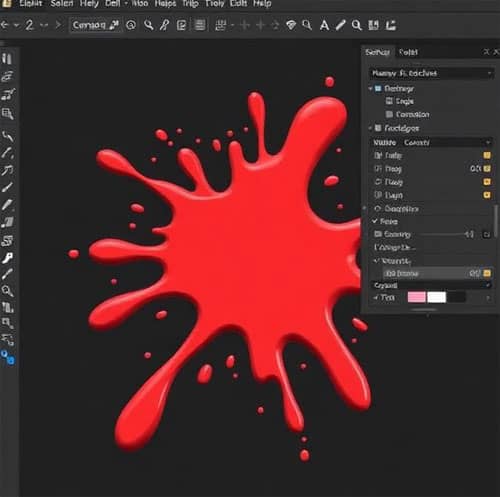
Splat Helper SketchUp Plugin Features
The usefulness of a SketchUp extension depends on how effectively it integrates into an existing modeling workflow. Splat Helper is intended to simplify operations associated with Splat-based content and make visualization workflows more accessible to SketchUp users.
Important capabilities may include:
- Integration with SketchUp workflows
- Support for working with Splat-related content
- Tools that simplify visualization processes
- Faster access to specialized commands
- Improved workflow organization
- Easier handling of supported 3D visualization assets
- Reduced dependence on repetitive manual operations
- Compatibility with professional architectural visualization workflows
The exact functions available can vary according to the plugin version and the SketchUp environment in which it is installed. Therefore, users should always check the documentation and compatibility information supplied with the particular release.
Why Use Splat Helper in SketchUp?
SketchUp is already a powerful modeling application, but specialized projects often require capabilities that are not included in the core software. This is where extensions become valuable.
A plugin can help us reduce repetitive operations, organize complex workflows, and connect different stages of a visualization process.
For example, an architectural visualization project may involve:
- Creating the basic SketchUp model.
- Developing detailed architectural components.
- Importing or preparing external visual data.
- Processing visualization assets.
- Combining different sources of 3D information.
- Presenting the finished scene.
When these operations involve Splat-related data, a suitable helper extension can make the workflow more efficient.
Splat and Gaussian Splatting in 3D Visualization
The term splat has become increasingly important in modern 3D visualization, particularly with the development of 3D Gaussian Splatting.
Traditional 3D models generally represent objects using polygons, surfaces, textures, and materials. Gaussian Splatting takes a different approach by representing a scene through a large collection of three-dimensional Gaussian elements.
Each element can contain information relating to its:
- Position
- Size
- Orientation
- Opacity
- Color
- View-dependent appearance
When these elements are rendered together, they can reproduce highly detailed real-world environments.
This technology has attracted attention for applications involving photogrammetry, reality capture, architectural visualization, digital twins, cultural heritage, real-estate visualization, and immersive experiences.
How Splat Helper Can Fit Into an Architectural Workflow
Architectural projects frequently combine conventional CAD or BIM information with photographic and reality-capture data.
A typical workflow may begin with a physical location being captured using photographs or specialized scanning equipment. The captured information can then be processed into a suitable 3D representation.
SketchUp can subsequently be used for:
- Architectural massing
- Concept development
- Interior design
- Site planning
- Landscape design
- Existing-condition modeling
- Presentation modeling
- Design coordination
A Splat-oriented workflow can provide another way of representing the existing environment alongside conventional geometry.
This can be particularly useful when visual realism is more important than traditional polygon-based modeling.
Using Splat Data for Existing Site Visualization
One of the most interesting applications of splat-based technology is existing-site visualization.
Suppose we are designing an extension to an existing building. Conventional modeling requires us to recreate the existing building, surrounding vegetation, roads, furniture, terrain, and other environmental details.
That process can require significant modeling time.
Reality-capture-based visualization can preserve much of the appearance of the existing environment. Instead of manually rebuilding every visual detail, we can work with captured scene information and concentrate our modeling effort on the proposed design.
This can improve the relationship between:
Existing Environment → Proposed Design → Visual Presentation
For architectural firms, this approach can help communicate how a proposed structure relates to its real surroundings.
Splat Helper for Architectural Visualization
Architectural visualization depends heavily on context.
A building rarely exists in isolation. Its appearance is affected by:
- Surrounding buildings
- Roads
- Trees
- Landscaping
- Terrain
- Street furniture
- Vehicles
- People
- Lighting
- Existing structures
Recreating every contextual element manually can be time-consuming.
Splat-based visualization offers an alternative for representing complex environments. When combined appropriately with SketchUp modeling, it can help us develop presentations that contain both precise architectural geometry and realistic environmental context.
Splat Helper and 3D Modeling Workflows
SketchUp excels at creating editable geometric models. Walls, roofs, floors, windows, doors, furniture, structural components, and other objects can be modeled as conventional 3D geometry.
Splat-based representations are different because they primarily focus on reproducing the visual characteristics of captured environments.
This creates an interesting combination:
SketchUp Geometry + Reality Capture + Splat Visualization
The conventional model provides design control, while captured visual information can provide environmental realism.
This approach can be especially useful during the early and intermediate stages of architectural visualization.
Potential Applications of the Splat Helper Plugin
The plugin and related splat workflows can be useful across several professional fields.
1. Architecture
Architects can use captured environmental information when developing new buildings, renovations, extensions, and urban design concepts.
2. Interior Design
Interior designers can work with existing spaces and use captured information to understand the relationship between proposed designs and existing conditions.
3. Landscape Architecture
Landscape projects often require accurate environmental context. Trees, terrain, buildings, pathways, and surrounding structures can be difficult to recreate manually.
4. Real Estate
Property visualization can benefit from realistic representations of existing buildings and surroundings.
5. Heritage Documentation
Historic buildings and cultural sites can be digitally captured and represented for documentation and visualization.
6. Urban Planning
Large environments containing buildings, streets, vegetation, and infrastructure can benefit from reality-capture workflows.
7. Construction Planning
Existing-condition visualization can assist project teams when communicating proposed construction work.

Advantages of Using a Specialized SketchUp Plugin
The biggest advantage of a specialized extension is workflow efficiency.
Instead of repeatedly performing several operations manually, a plugin can provide dedicated commands that are designed around a specific task.
The main benefits can include:
Faster workflows: Specialized commands can reduce unnecessary steps.
Better visualization: Reality-capture information can provide additional environmental detail.
Improved context: Proposed SketchUp models can be evaluated against realistic surroundings.
Reduced modeling requirements: Some environmental elements may not need to be modeled individually.
Better presentations: Realistic context can make architectural proposals easier to understand.
Workflow flexibility: Designers can combine traditional geometry with newer visualization techniques.
Splat Helper SketchUp Plugin Installation
The installation process depends on how the particular Splat Helper release is distributed.
In a typical SketchUp extension workflow, we first obtain the plugin package from a trusted and compatible source. SketchUp extensions are commonly distributed as extension packages and installed through SketchUp’s extension management functionality.
A general installation workflow is:
- Download the appropriate plugin package.
- Verify that the plugin supports the installed SketchUp version.
- Open SketchUp.
- Navigate to the extension management or installation area.
- Select the plugin package.
- Complete the installation.
- Restart SketchUp if required.
- Locate the plugin’s toolbar or menu command.
- Test the plugin with a suitable project.
We should avoid installing modified or unofficial plugin packages because they can create security, compatibility, and stability problems.
Checking SketchUp Compatibility
Before installing Splat Helper, we should confirm compatibility with the current SketchUp version and operating system.
Important factors include:
- SketchUp version
- Windows or macOS environment
- Plugin version
- Graphics hardware
- Available system memory
- Rendering capabilities
- Supported file formats
- Dependencies required by the extension
A plugin designed for an older SketchUp release may not behave correctly in a newer environment. Likewise, a demanding visualization workflow can require substantially more graphics memory than a conventional SketchUp model.
Performance Considerations
Splat-based scenes can contain extremely large amounts of visual information. Consequently, performance should be considered carefully.
Large datasets may require:
- More RAM
- Greater GPU memory
- A modern graphics processor
- Faster storage
- Optimized scene organization
We should avoid loading unnecessarily large datasets when working on low-specification computers.
For better performance, we can consider reducing unnecessary scene complexity, optimizing source data, closing applications that consume system resources, and using appropriate display settings.
Splat Helper vs Traditional SketchUp Modeling
Traditional SketchUp modeling and splat visualization solve different problems.
| Feature | Traditional SketchUp Model | Splat-Based Visualization |
| Editable geometry | Excellent | Limited |
| Architectural modeling | Excellent | Not the primary purpose |
| Real-world visual capture | Limited | Excellent |
| Environmental realism | Requires modeling | High potential |
| Precise dimensions | Excellent | Depends on source data |
| Design modifications | Excellent | Limited |
| Reality capture | Requires additional workflow | Strong use case |
| Presentation context | Good | Potentially highly realistic |
The most effective approach is often not to choose one technology over the other. Instead, we can combine conventional SketchUp modeling with captured visual environments.
Tips for a Better Splat SketchUp Workflow
For professional projects, we should establish a structured workflow before importing or processing large datasets.
First, we should organize the project carefully and identify whether the captured data is being used for measurement, design reference, visualization, or presentation.
Second, we should maintain clear separation between editable SketchUp geometry and externally captured visualization information.
Third, we should optimize large datasets before using them in complex scenes.
Finally, we should test the complete workflow on a smaller project before deploying it on a large production model.
Common Problems and Troubleshooting
Users may encounter problems after installing or using a specialized SketchUp extension.
Plugin Does Not Appear
Check whether the extension was successfully installed and whether it is enabled in SketchUp’s extension management interface.
Plugin Does Not Work
Verify compatibility between the plugin and the installed SketchUp version. Conflicts with other extensions can also affect functionality.
Slow Performance
Large splat datasets can consume significant system resources. Check GPU memory, RAM, scene complexity, and dataset size.
Visual Artifacts
Unexpected visual results can sometimes originate from the source capture, reconstruction quality, rendering configuration, or unsupported data.
Import Problems
Confirm that the data format is supported and that the source file was generated correctly.
Best Practices for Professional Users
For production environments, we recommend maintaining a clean and predictable workflow.
Keep the following practices in place:
- Use official or trusted plugin sources.
- Back up important SketchUp projects before installing extensions.
- Check plugin compatibility before installation.
- Keep SketchUp and supported extensions updated when appropriate.
- Optimize large reality-capture datasets.
- Use organized project folders.
- Separate source data from working files.
- Test new plugins before applying them to critical projects.
- Monitor GPU and RAM usage when handling large scenes.
These practices can reduce technical problems and make collaborative architectural workflows easier to manage.
Future of Splat-Based SketchUp Visualization
The development of reality capture and advanced rendering technologies is changing how we approach 3D visualization.
Traditional polygonal modeling remains essential for architectural design because it provides control over dimensions, geometry, materials, and construction information. However, reality-capture technologies provide a powerful way to represent environments that would otherwise require extensive manual modeling.
As Gaussian Splatting, photogrammetry, AI-assisted reconstruction, real-time rendering, and digital twins continue to develop, the relationship between captured environments and conventional 3D modeling is likely to become increasingly important.
For SketchUp professionals, this creates opportunities to combine familiar design workflows with more realistic representations of the physical world.
Conclusion
The Splat Helper SketchUp plugin represents the broader evolution of SketchUp workflows toward more connected and visualization-focused 3D environments. By combining specialized plugin functionality with SketchUp’s conventional modeling capabilities, designers can explore new ways of working with captured environments and realistic scene information.
For architects, interior designers, landscape professionals, visualization specialists, and other 3D professionals, splat-based workflows can be particularly valuable when real-world environmental context is an important part of the project.
The most effective workflow is to use each technology for what it does best: SketchUp for controllable 3D design and modeling, and splat-based visualization for representing complex real-world environments. When these capabilities are combined thoughtfully, they can create a more efficient and visually compelling approach to modern architectural visualization.
