

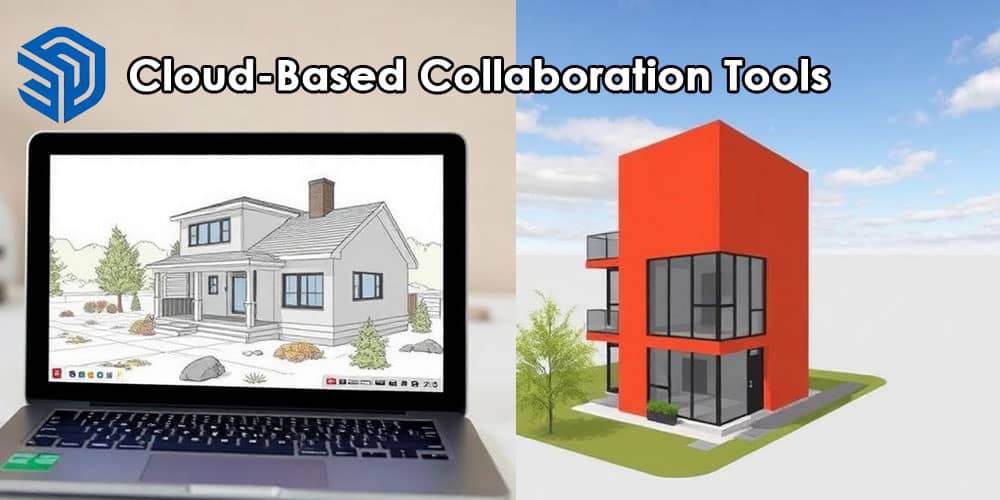
The evolution of digital design has entered a new era as cloud-based collaboration becomes the foundation of modern architectural and 3D modeling workflows. In 2026, SketchUp introduces a powerful suite of cloud collaboration tools designed to transform how architects, engineers, designers, and construction teams work together. Developed by Trimble, the latest updates focus on real-time teamwork, centralized data management, and seamless design communication across devices and locations.
These advancements position SketchUp as a comprehensive collaborative platform rather than just a modeling tool. Teams can now design, review, and manage projects simultaneously from anywhere in the world while maintaining accuracy, speed, and efficiency.
The Rise of Cloud Collaboration in 3D Design
Modern design projects demand instant communication, multi-disciplinary coordination, and rapid iteration cycles. Traditional workflows that rely on local files, manual version control, and fragmented communication channels create inefficiencies and delays.
The new cloud capabilities in SketchUp address these challenges by enabling:
- Real-time design collaboration
- Centralized model storage
- Automatic version tracking
- Secure team access
- Cross-platform project management
With these features, teams can collaborate as if they were working in the same room, even when distributed across multiple offices and time zones.
Key Cloud Collaboration Features Introduced in SketchUp 2026
1. Real-Time Multi-User Editing
One of the most transformative additions to SketchUp is real-time multi-user model editing. Designers can now open the same model simultaneously and contribute changes without overwriting each other’s work.
Core capabilities include:
- Simultaneous modeling by multiple users
- Live cursor visibility for collaborators
- Instant synchronization of design changes
- Conflict-free editing environments
This capability dramatically improves design iteration speed, allowing teams to brainstorm, refine, and finalize models much faster than traditional workflows.
2. Centralized Cloud Model Storage
Instead of storing files locally or sending models through email attachments, SketchUp now enables fully centralized project storage in the cloud.
Benefits of centralized storage:
- Single source of truth for every project
- Automatic backup and version history
- Controlled user permissions
- Easy access from any device
This approach eliminates the common problem of duplicate files and outdated versions, ensuring that all stakeholders are always working on the most current model.
3. Integrated Project Management Workspace
SketchUp’s 2026 platform expands beyond modeling with integrated project management tools. Designers and managers can now organize tasks, share feedback, and coordinate revisions directly within the modeling environment.
Project workspace features include:
- Task assignments
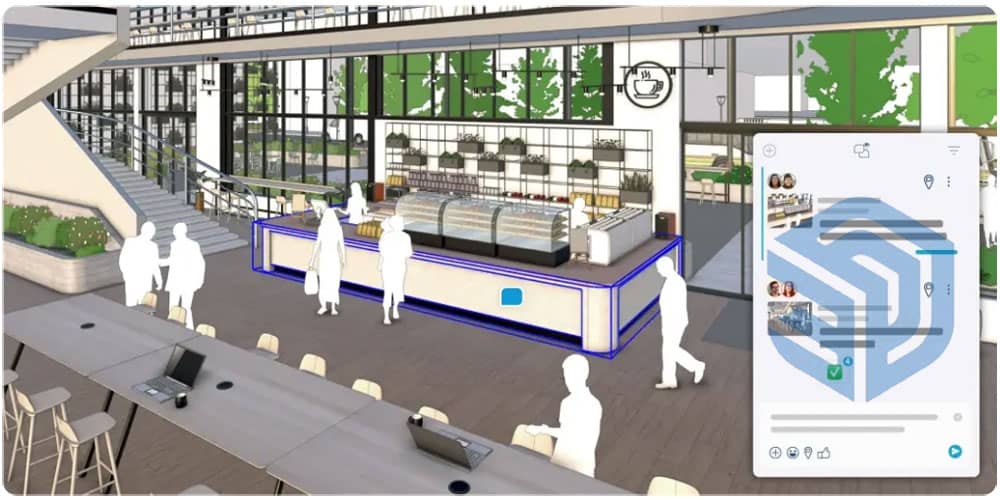
- Comment threads on model elements
- Design approval workflows
- Issue tracking and resolution logs
By combining project management with modeling, SketchUp reduces the need for external collaboration tools and creates a more streamlined design ecosystem.
Advanced Model Review and Feedback Tools
Interactive Model Markups
The cloud platform introduces advanced markup tools that allow stakeholders to provide detailed design feedback directly on the model.
Users can:
- Add annotations to specific objects
- Highlight problem areas
- Attach reference images or documents
- Suggest modifications within the 3D environment
This interactive feedback system eliminates long email chains and ensures clear communication between designers, clients, and engineers.
Live Design Presentations
Another major innovation is live design presentation mode. Teams can present models in real time to clients, contractors, or remote colleagues while navigating the model collaboratively.
Key advantages include:
- Real-time walkthroughs
- Instant design adjustments during meetings
- Shared camera controls
- Interactive design discussions
These capabilities make design reviews more immersive and productive, accelerating project approvals.
Cross-Device Accessibility
The new cloud infrastructure allows SketchUp models to be accessed from multiple devices and operating systems without compatibility issues.
Users can work from:
- Desktop computers
- Laptops
- Tablets
- Web browsers
- Mobile devices
This cross-device functionality ensures that designers remain productive whether they are in the office, at a construction site, or working remotely.
Enhanced Integration with Construction Workflows
SketchUp’s cloud collaboration tools also strengthen its connection with the construction and building information modeling ecosystem.
Seamless Data Exchange
The 2026 platform improves interoperability with major design and construction software through:
- Expanded file format compatibility
- Automated data synchronization
- Cloud-based model sharing
This ensures smoother coordination between architectural design teams, structural engineers, and construction planners.
Construction-Ready Model Coordination
SketchUp now supports construction-ready collaboration, allowing contractors to interact directly with models.
Features include:
- Layer-based construction sequencing
- Clash detection visualization
- Material quantity review
- On-site design verification
This connection between design and construction workflows reduces costly mistakes and delays.
AI-Powered Collaboration Enhancements
Artificial intelligence plays a growing role in SketchUp’s cloud ecosystem.
AI tools assist teams by:
- Automatically detecting design inconsistencies
- Suggesting modeling improvements
- Organizing project files
- Predicting potential structural conflicts
These AI-driven insights help teams optimize models while reducing manual review time.
Security and Data Protection
As collaboration moves into the cloud, data security becomes critical. SketchUp 2026 introduces enterprise-level protections to safeguard sensitive design information.
Security measures include:
- End-to-end encrypted model storage
- Multi-factor authentication
- Role-based access permissions
- Secure cloud infrastructure
These safeguards ensure that intellectual property and project data remain protected even when shared across large teams.
Benefits for Architecture and Design Teams
The cloud collaboration features provide measurable advantages for professionals in architecture, engineering, and construction.
Improved Productivity
Real-time collaboration significantly reduces delays caused by file transfers and manual updates, enabling faster project completion.
Better Team Coordination
Centralized communication ensures that every team member remains aligned with the latest design updates and decisions.
Faster Client Approvals
Interactive presentations and markup tools allow clients to visualize and approve designs quickly, reducing revision cycles.
Reduced Project Errors
Cloud version control and AI-assisted reviews help detect design conflicts early, preventing costly construction mistakes.
Impact on the Future of Collaborative Design
SketchUp’s 2026 cloud collaboration platform represents a major shift toward fully connected design environments. Instead of isolated modeling tasks, design becomes a continuous, shared process where teams contribute ideas simultaneously.
This transformation supports a new generation of workflows where:
- Designers collaborate globally
- Project data remains synchronized
- Communication happens directly inside the model
- Decisions are made faster with visual clarity
By embracing cloud technology, SketchUp strengthens its position as a leading platform for collaborative 3D design and architectural modeling.
Conclusion
The introduction of cloud-based collaboration tools in SketchUp 2026 marks a significant milestone in the evolution of digital design. Through real-time editing, centralized cloud storage, integrated project management, advanced model reviews, and AI-powered insights, the platform delivers a powerful ecosystem that enables teams to design more efficiently and collaboratively.
For architects, engineers, and construction professionals, these innovations provide a faster, smarter, and more connected way to create complex projects. As cloud technology continues to reshape design workflows, SketchUp’s collaborative platform stands at the forefront of the next generation of integrated digital design environments.
